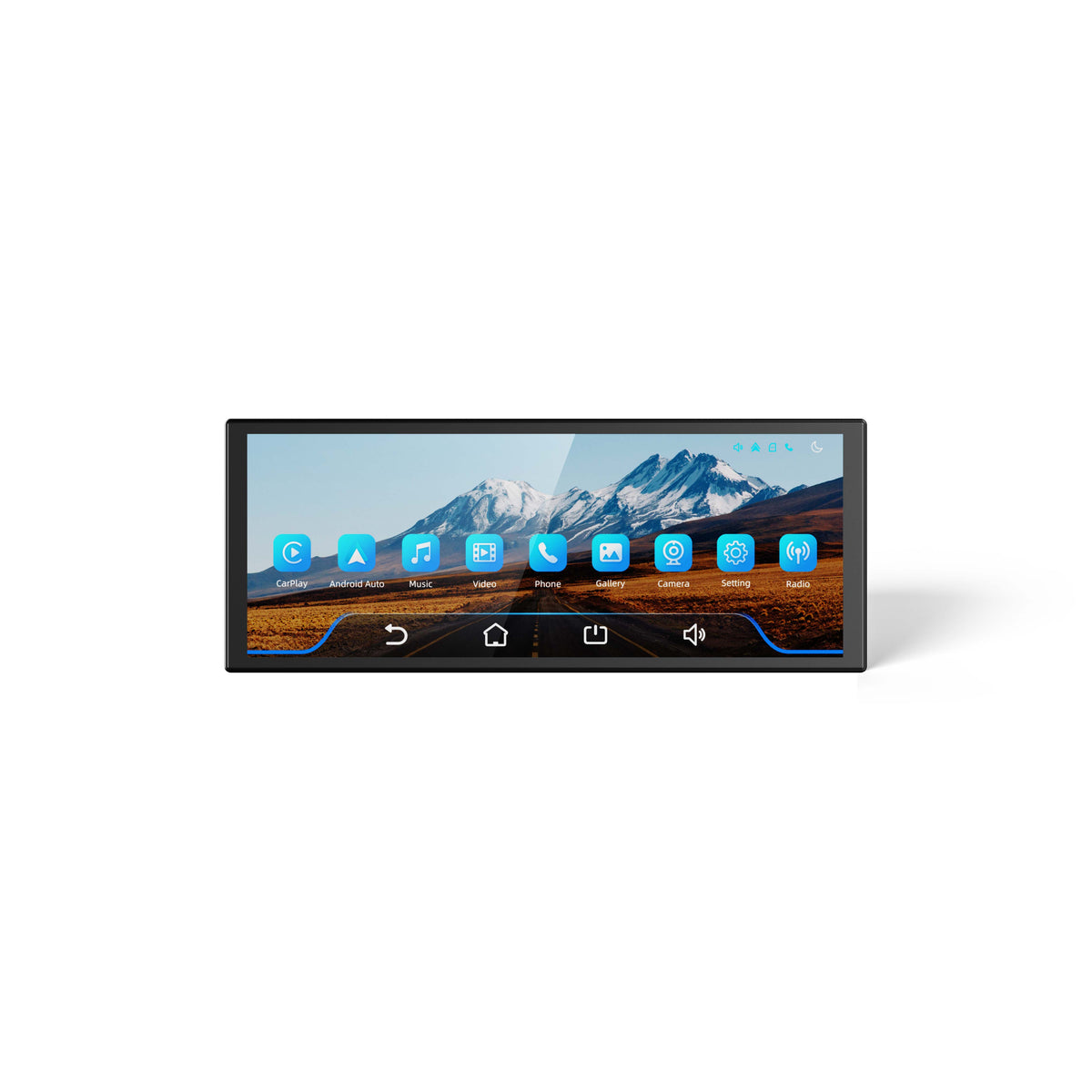
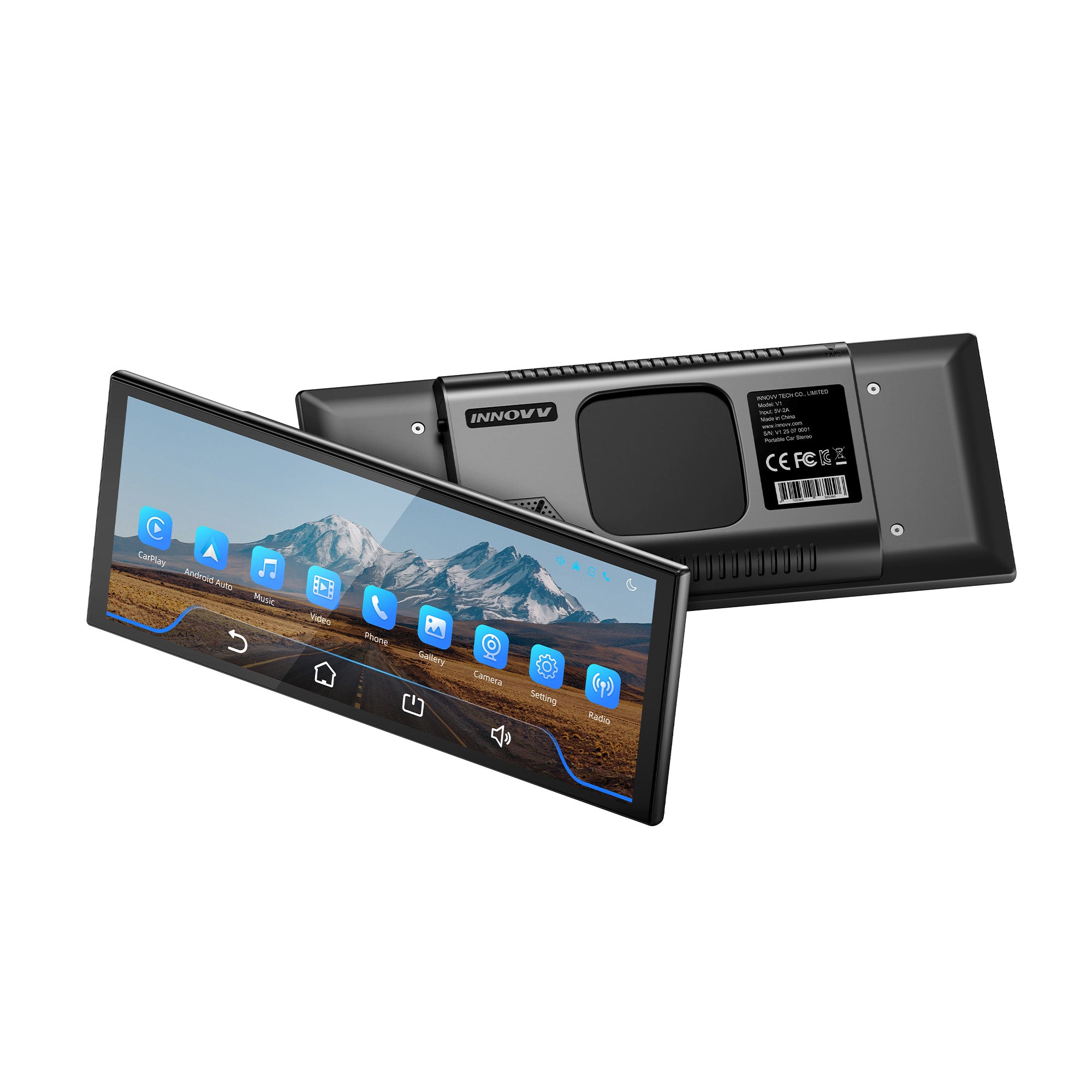
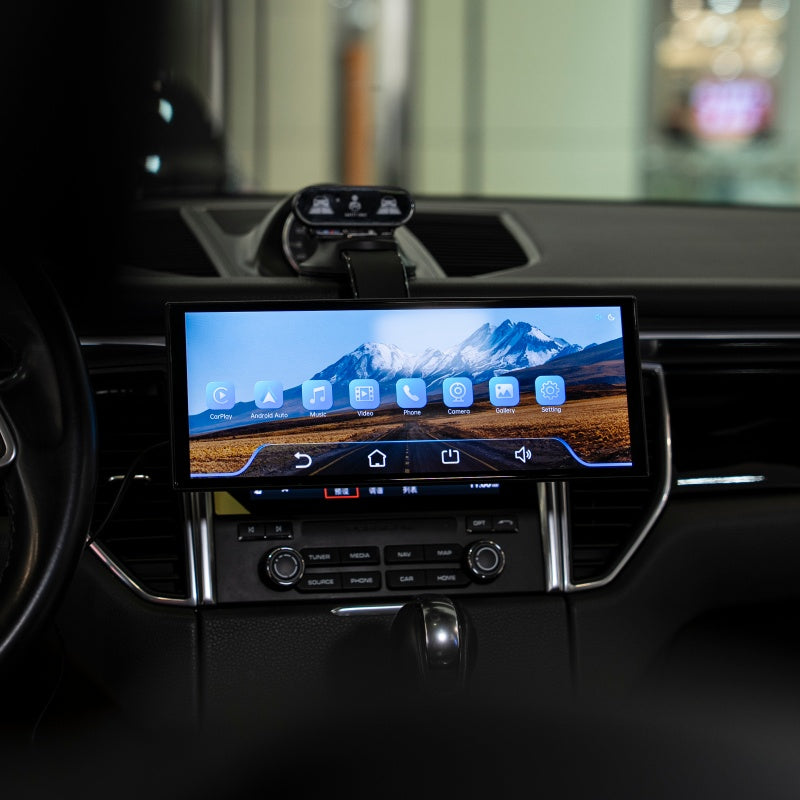
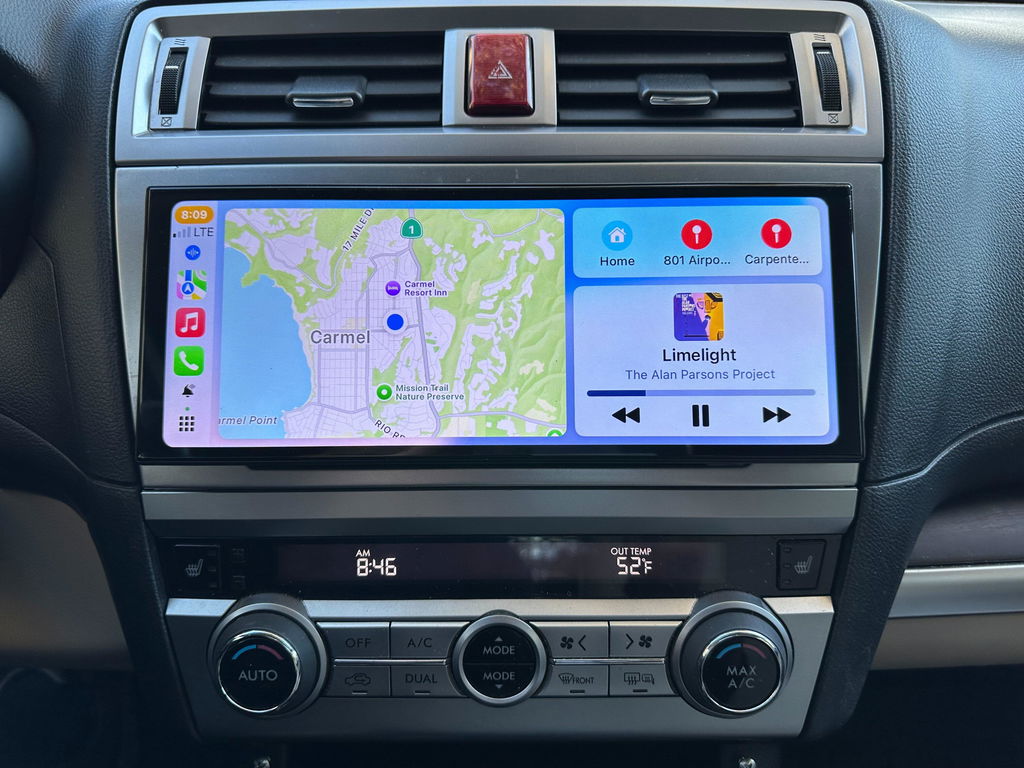
Das INNOVV V1 wertet den Innenraum Ihres Fahrzeugs mit einem 10,25-Zoll-HD-Touchscreen und intelligentem Infotainmentsystem auf. Es unterstützt Apple CarPlay und Android Auto für einfachen Zugriff auf Navigation, Musik und Freisprechanrufe. Über den Aux-Ausgang können Sie externe Lautsprecher oder Aufnahmegeräte anschließen und so Ihr Entertainment-Erlebnis erweitern.
Tragbarer 10,3-Zoll-HD-Touchscreen mit kabelloser Carplay-Funktion, kompatibel mit Apple Carplay und Android Auto, mit GPS-Navigation, Sprachsteuerung und HiFi-Lautsprecher.
Bei Fragen können Sie sich jederzeit gerne an uns wenden. Wir melden uns schnellstmöglich bei Ihnen, werktags innerhalb von 24 Stunden.
Versandinformationen
Hauptprodukte: (K7, K6, K5, ThirdEYE Mirror, ThirdEYE Watch, RC6, H5, PowerHub3, P1, N1 Pro, N1): Großbritannien: 3–7 Werktage. (Versand aus dem lokalen Lager) USA: 3-7 Werktage. (Versand aus dem lokalen Lager) CA: 3-7 Werktage. (Versand aus dem lokalen Lager) EU: 3-10 Werktage. (Versand aus Lagern in verschiedenen Teilen Europas) Sonstiges: 15-30 Kalendertage (Versand aus dem chinesischen Lager) ( Hinweis: Lieferzeiten für Vorbestellungsartikel können je nach Ankunftszeit variieren.) Zubehör (Versand aus dem chinesischen Lager) Die voraussichtliche Lieferzeit für alle Regionen beträgt 15-30 Kalendertage.
Bei Fragen wenden Sie sich bitte an support@innovv.com . Wir werden uns innerhalb von 24 Stunden bei Ihnen melden.
Häufig gestellte Fragen
F: Sind meine Zahlungsinformationen sicher?
A: Absolut sicher! Wir nutzen SSL-verschlüsselte Zahlungsportale, die von Shopify unterstützt werden (wie PayPal, Stripe und Kreditkartenzahlungen). Ihre Kartendaten werden während des gesamten Prozesses verschlüsselt, und wir können Ihre Zahlungspasswörter weder einsehen noch speichern. Alle Transaktionen entsprechen den internationalen PCI-DSS-Sicherheitsstandards.
F: Welche Zahlungsmethoden werden unterstützt?
A: Wir unterstützen die wichtigsten globalen Zahlungsmethoden: Visa, MasterCard, American Express, Apple Pay, Google Pay, PayPal, Shopify Pay, UnionPay, Bancontact, iDEAL, Klarna, Afterpay, Discover, JCB, Diners Club, Maestro, Visa Electron, Cartes Bancaires, Cash App Pay und viele mehr. Wir decken über 200 Länder/Regionen ohne geografische Einschränkungen ab.
F: Wie werden die Versandkosten berechnet? Sind Steuern enthalten?
A: Der Versand ist in alle Länder und Regionen kostenlos, und es fallen keine Zollgebühren an. Sollten dennoch Zollgebühren anfallen, müssen Sie diese im Voraus bezahlen. Wir erstatten Ihnen die Gebühren jedoch nach Erhalt des Pakets.
F: Wie kann ich mein Paket verfolgen?
A: Sie erhalten innerhalb von 1–3 Werktagen nach Versand eine E-Mail mit einer Sendungsverfolgungsnummer. Damit können Sie Ihre Sendung in Echtzeit über globale Tracking-Plattformen anhand der Bestellnummer in der E-Mail verfolgen. Sollten Sie innerhalb von 5 Werktagen keine Benachrichtigung erhalten, kontaktieren Sie bitte unseren Kundenservice unter Support@innovv.com .
F: Was soll ich tun, wenn ich mit dem Produkt nicht zufrieden bin?
A: Wir bieten ein 30-tägiges Rückgabe-/Umtauschrecht ohne Angabe von Gründen (vorausgesetzt, das Produkt ist unbenutzt und die Etiketten sind unbeschädigt):
Rücksendekosten: Bei nicht qualitätsbedingten Mängeln trägt der Kunde die Kosten; bei qualitätsbedingten Mängeln übernehmen wir die vollen Kosten.
Rückerstattungsverfahren: Bitte legen Sie einen Kaufbeleg vor. Kontaktieren Sie den Kundenservice, um die Rücksendeadresse zu bestätigen.
F: Wie lassen sich Qualitätsprobleme mit dem Produkt beheben?
A: Sollten Qualitätsmängel auftreten (z. B. Beschädigungen oder Funktionsstörungen), senden Sie uns bitte Fotos/Videos per E-Mail an unseren Kundenservice. Wir senden Ihnen den Artikel kostenlos erneut zu oder erstatten Ihnen den vollen Kaufpreis, ohne dass Sie das Produkt zurücksenden müssen!
F: Werden meine persönlichen Daten weitergegeben?
A: Wir halten uns strikt an die Datenschutzbestimmungen der DSGVO/CCPA. Ihr Name, Ihre Adresse und Ihre Telefonnummer werden ausschließlich für die Logistik und Zustellung verwendet und niemals an Dritte verkauft oder weitergegeben. Die Daten werden auf den verschlüsselten Servern von Shopify gespeichert.
F: Kann ich meine Adresse ändern oder meine Bestellung stornieren, nachdem ich sie aufgegeben habe?
A: Sie können sich an unseren Kundenservice wenden, um die Adresse zu ändern oder die Bestellung zu stornieren, bevor sie versendet wird (Antwort innerhalb von 24 Stunden). Bei bereits versendeten Bestellungen müssen Sie die Annahme verweigern und den Rückgabeprozess befolgen.
F: Wie schnell reagiert der Kundendienst?
A: Wir bieten einen 24/7-Online-Kundenservice (Chat-Button unten rechts auf der Webseite) mit einer durchschnittlichen Antwortzeit von weniger als 30 Minuten; E-Mail-Anfragen werden innerhalb von 24 Stunden beantwortet.
Sofortige Installation, kein Werkzeug erforderlich
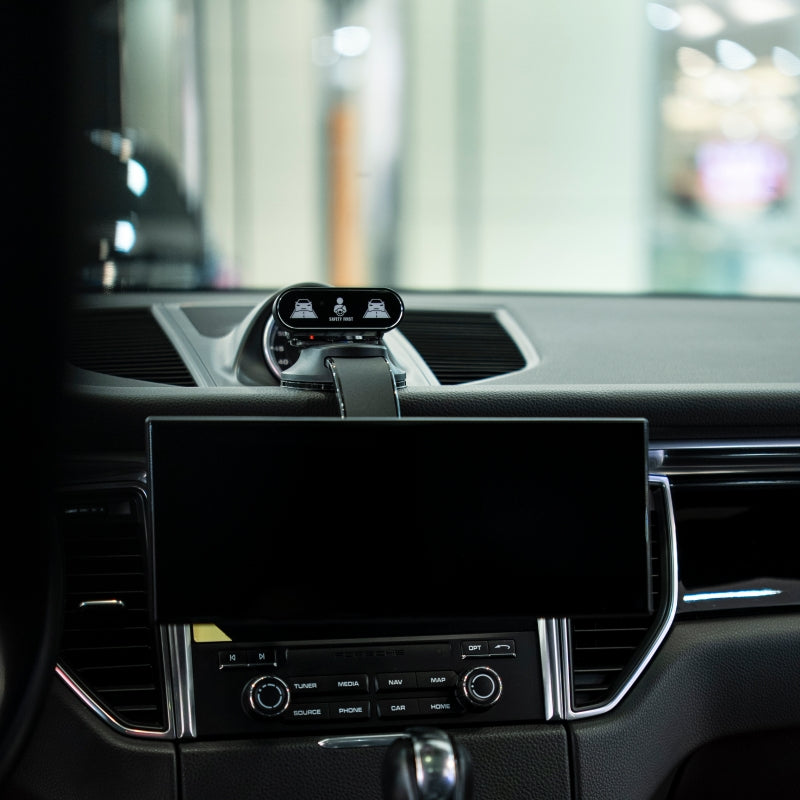
Dank Magnetfuß und Lüftungshaken lässt sich der V1 in Sekundenschnelle sicher befestigen. Kein kompliziertes Werkzeug, kein Aufwand – einfach einstecken, platzieren und los geht’s.
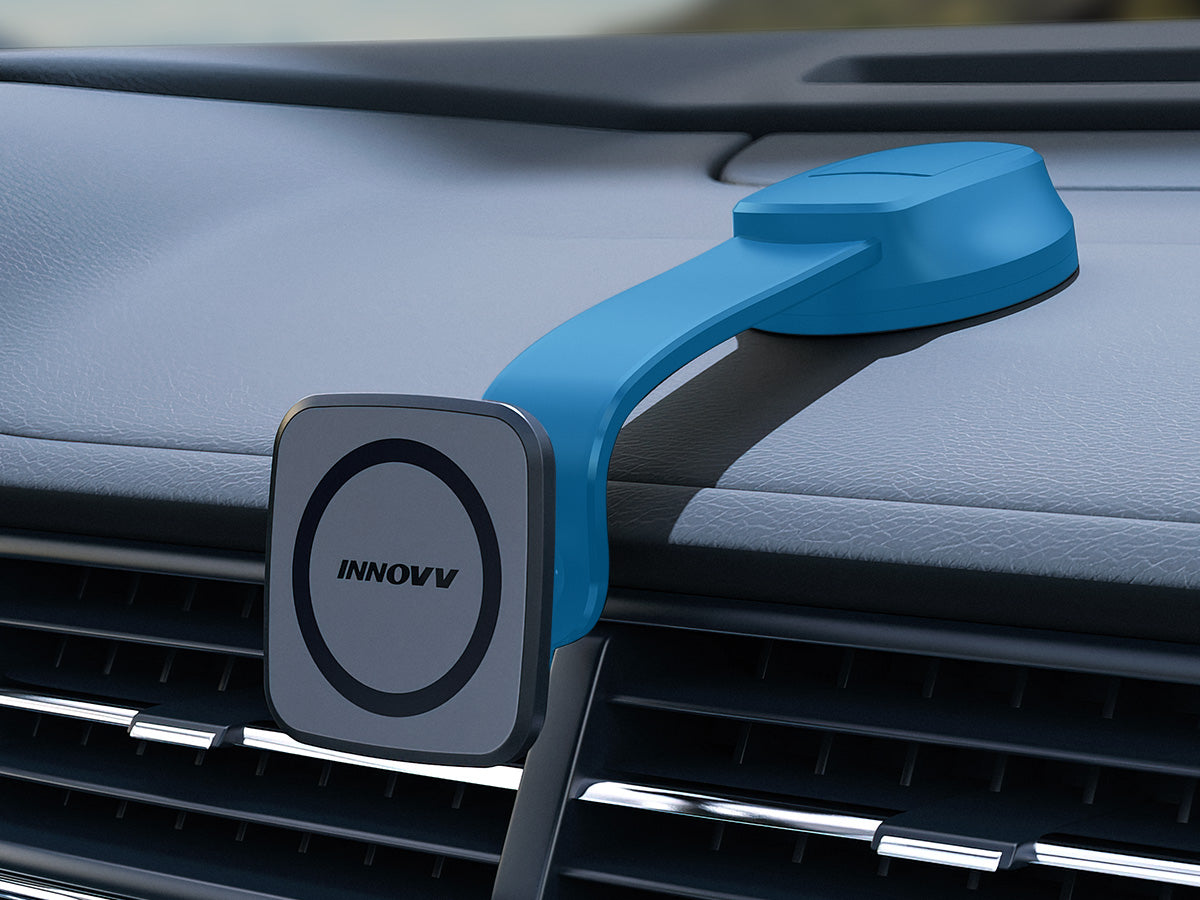
Armaturenbrett-Klebehalterung – Kleben & Loslegen
Platzieren Sie die Halterung auf Ihrem Armaturenbrett und drücken Sie sie, um die V1 zu fixieren. Dies sorgt für eine feste, stabile Befestigung, die auch bei holprigen Fahrten sicher an ihrem Platz bleibt, und zeichnet sich durch eine schnelle Installation und ein sauberes Erscheinungsbild aus.
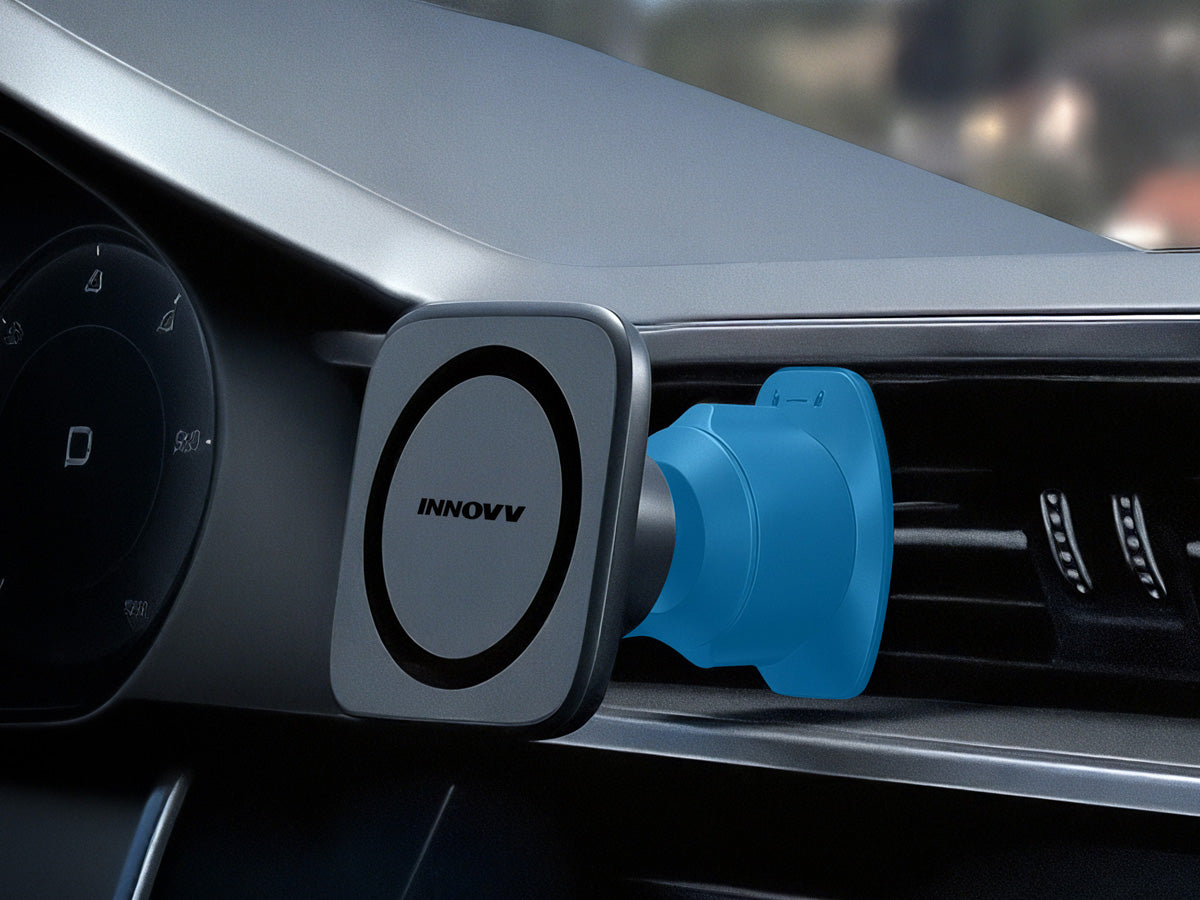
Lüftungsschlitz-Clip-Halterung – Einrasten und Verriegeln in Sekundenschnelle.
Hängen Sie den V1 einfach an den Lüftungsschlitz Ihres Autos und drehen Sie ihn, um ihn sicher zu fixieren. Er bietet eine stabile Sicht auf Augenhöhe, ohne den Luftstrom zu behindern, und ermöglicht so eine mühelose und werkzeuglose Installation.
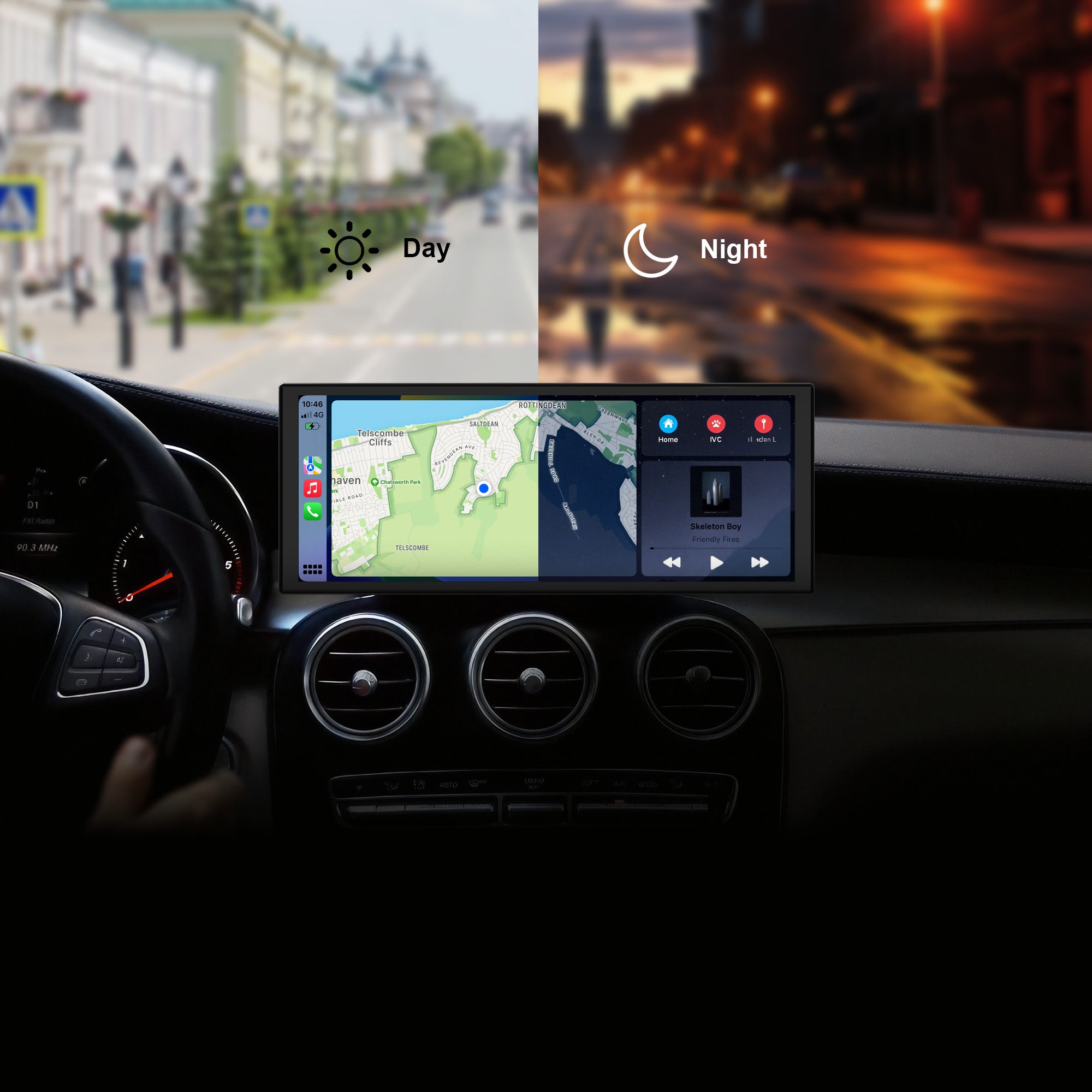
Echtes Auto-Erlebnis mit CarPlay & Android Auto
Unterstützt kabelloses CarPlay und Android Auto für mühelosen Zugriff auf Navigation, Musik, Anrufe und Sprachassistenten. Reale Videoaufnahmen zeigen, wie flüssig und reaktionsschnell die Bedienung ist.
Bluetooth 5.0 – Schneller, stärker, stabiler
Ausgestattet mit der neuesten Bluetooth 5.0-Technologie für schnelleres Koppeln, größere Reichweite und stärkere Störungsunterdrückung. Genießen Sie reibungslose Audio- und Datenübertragung auch bei hohen Geschwindigkeiten oder in Umgebungen mit starkem Signal.
Immersives 10,3-Zoll-HD-Display
Ein atemberaubender 10,3-Zoll-Breitbildschirm sorgt für ein kinoreifes Seherlebnis direkt in Ihrem Auto. Ob Karten, Videos oder Musikmenüs – jedes Detail wird gestochen scharf und in brillanten Farben dargestellt.
Intelligentes Fahren. Navigation.
V1 ist ein neues Navigationssystem von INNOVV mit integriertem Carplay, Android Auto und optionaler Rückfahrkamera, geeignet für die meisten Autos.
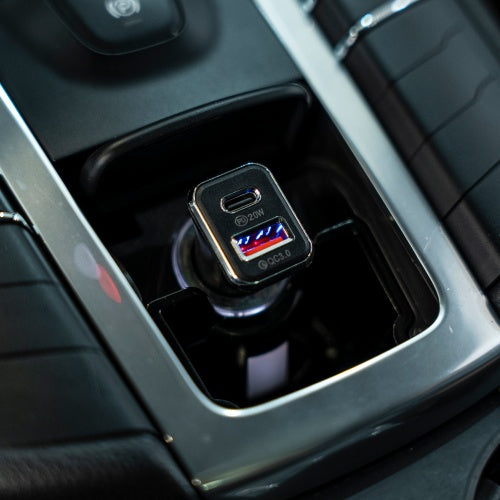
Check whether the car's cigarette lighter socket provides a 12V output. Alternatively, connect your phone to the Type-C power cable to check if it charges, confirming the adapter is working properly.
Why does it keep restarting?
1. Ensure the power cable is securely connected and the cigarette lighter adapter is firmly plugged in.
2. If using a third-party adapter, switch to the original adapter and power cable to test.
3. When using your own Type-C cable, make sure it supports a 5V/2A output. Use a fast-charging port to ensure adequate power supply.
Why is the host screen shaking?
Check if the bracket is firmly secured. Re-tighten if it's loose.
Why is the reverse camera footage blurry?
Check the lens surface for fingerprints, dust, or dirt. Clean it with a dedicated lens microfiber cloth.
Why is there no image from the reverse camera?
Check whether the camera connector is loose or if the cable is damaged or broken. Also, confirm that the "Reverse Camera" option is enabled in the system settings.
Why do videos fail to play?
Ensure the video format is MP4, AVI, MOV, or RMVB, and the resolution is below 1080P (1920×1080 pixels).
Why does the host system malfunction?
If a system issue occurs, restart the device by disconnecting and reconnecting the power supply.
Why is there no sound from the speakers?
Refer to the “Sound” section in the settings menu for troubleshooting steps.
Why can’t CarPlay connect?
1. Initial pairing may take longer.
2. Only iPhones running iOS 13 or later support CarPlay.
3. Ensure both Wi-Fi and Bluetooth are enabled.
4. Delete Wi-Fi networks such as “carlink” that don’t provide internet access.
5. Go to iPhone Settings → General → CarPlay, remove all records, and re-pair.
6. Restart the iPhone and try again.
Why can’t Android Auto connect?
1. Initial pairing may take longer.
2. Only Android phones running Android 11 or later support Android Auto.
3. Ensure both Wi-Fi and Bluetooth are enabled.
4. Delete Wi-Fi networks such as “carlink” that don’t provide internet access.
5. Go to Phone Settings → Connected Devices → Android Auto → Previously Connected Cars → Accepted Cars → Remove all records and re-pair.
6. Restart the Android phone and try again.
Important Notes
1. Always use the original cigarette lighter adapter for power.
2. Install TF memory cards strictly as per the manual to avoid damage.
3. Confirm the vehicle’s cigarette lighter outputs 12V DC to prevent adapter failure or damage.
4. Keep the host and cables away from heat sources and electromagnetic interference.
5. Only the reverse camera is waterproof. Protect other components (host/adapter) from water exposure.
6. Use high-speed U1+ branded TF cards; generic cards may malfunction.
7. Avoid drops or impacts—this is precision equipment.
8. Keep the strong-magnetic mounting bracket stored safely to avoid affecting or damaging nearby electronic devices.
9. Keep phones within 2 meters of the host, away from metal obstructions and interference sources.
5 stars: 4 (67%)
4 stars: 1 (17%)
3 stars: 1 (17%)
2 stars: 0 (0%)
1 star: 0 (0%)
2
2016 Outback (United States)
Works as advertised
I was able to mount the unit over the front of defunct headunit in my 2016 Outback. I does everything as advertized - I love it!
Hello, thank you for your pictures feedback. Thank you for your love and support for our products. This information is of great help to us or other customers. We will do better. Have a pleasant and safe journey :)
E
Ewan Burnett QGM (Spain)
Good fastdelivery and like my bikes innovv good system
Good fastdelivery and like my bikes innovv good system, only thing wrong should have a more fixable fixing
A
Anonymous (The Netherlands)
Perfect
Perfect, werkt zeer goed. Erg tevreden.
M
Mario Saccomano (Italy)
Great display
Great display, perfect for my old car. Very responsive device with a good visualization of the apps of my mobile phone. Fast delivery.
A
Anonymous (United States)
Nice display and the responsiveness is good… BUT…
Nice display and the responsiveness is good. Unfortunately the glossy screen is very distracting in bright lighting conditions making it hard to see. Perhaps a matte finish screen protector being included would help solve the issue.
Dear customer,
Thanks for your suggestions.
We will submit your suggestions to the R&D department.
Hopefully, in the future, you will see our products better meet your needs and introduce innovative features as a result of your feedback.
A
Anonymous (United States)
Nice device overall
The screen is high quality. The speaker is marginal but for me I could redirect the audio to my car's sound system. (Two bluetooth connections from my phone, one to the Innov for CarPlay and one to my car audio. There should be more mounting options. I was finally successful using the hook attachment onto an air vent but I am not sure long term how my plastic air vent will hold up to this.
Wenn du dich für eine Auswahl entscheidest, wird die Seite komplett aktualisiert.