

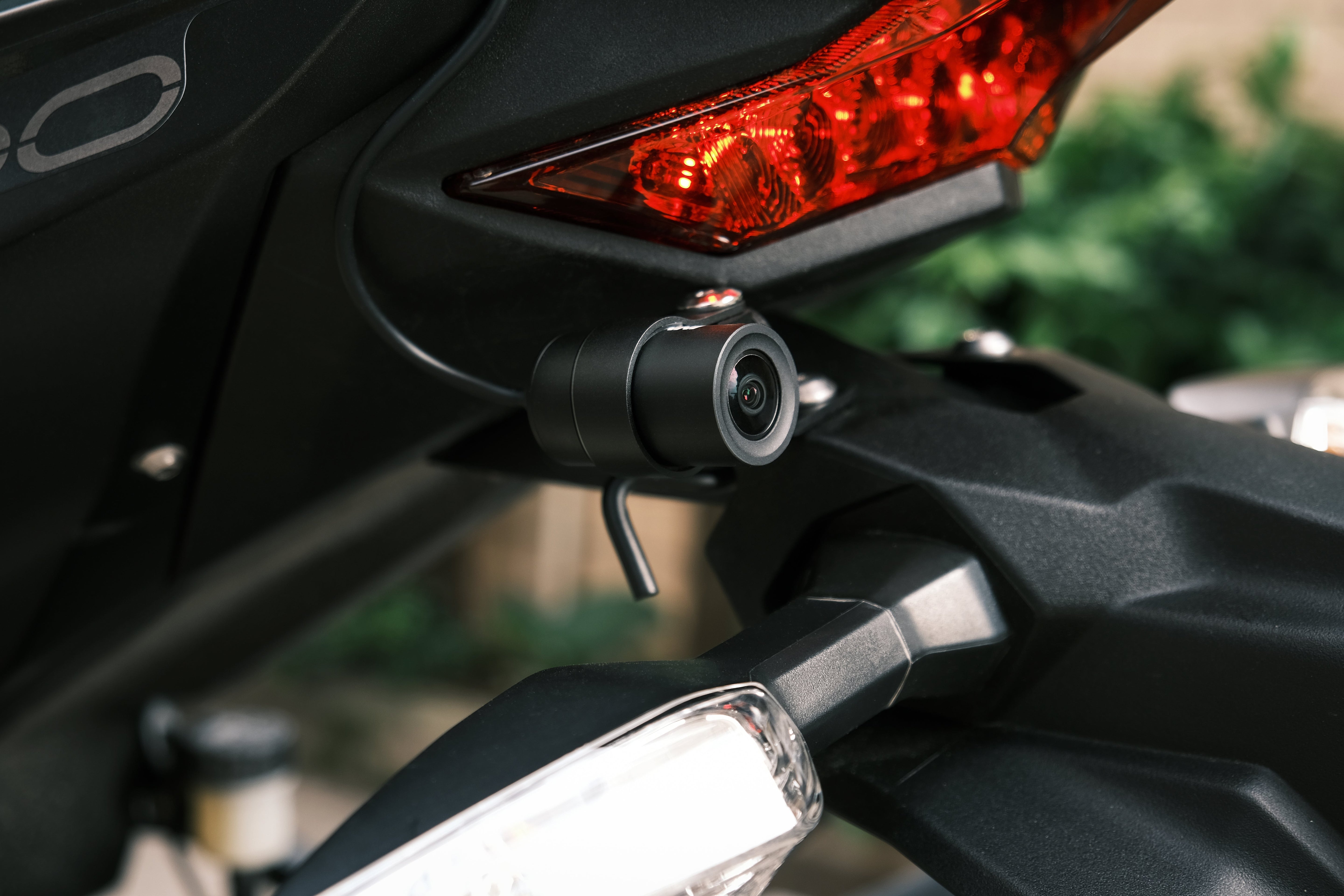
Installing a dual-camera dash cam on a complex flagship bike like the BMW R1250GSA can seem daunting. But doing it right means no visible wires, no cut harnesses, and zero compromises on quality.
Recently, in our INNOVV Family Facebook community, GSA rider John Jess shared his step-by-step experience installing the INNOVV K7. It took him one Sunday afternoon and four evenings to complete the process.
Regarding why he chose to spend so much time on the project, John's reply in the comments section was simple, raw, and direct:
"Because I have standards and I’m not scared of hard work. I’m def not a ‘just tape it there’ type of guy..."
If you are a detail-oriented rider who wants a clean, reliable, and seamless installation, here is John’s setup timeline and the solutions to the common tech hurdles he solved along the way.
I. The GSA Installation Timeline & Component Layout
📍 Switched Power & SD Card Prep
Currently fitting the K7 to my GSA.

📍 Harness Routing & Layout
Fitting day 3: K7 to BMW R1250GSA

📍 Working Through Tech Questions
Help required

📍 The Final Setup Breakdown
Finally finished fitting the INNOVV K7 dash cam to the GSA.

Want to read John Jess's complete original post, check out his installation photos, or see the discussion in the comments section? Click here to view the original post in the official INNOVV Family Group.
II. Technical Troubleshooting: Formatting, WiFi, and Heat
Q1: Why must the SD card be formatted to FAT32?
Dash cams write high-definition loop video streams continuously. The FAT32 file system offers the most stable compatibility and block-level write performance for embedded loop-recording systems, helping prevent potential file corruption or recording gaps during long rides. For cards larger than 32GB, format them to FAT32 on your computer using a utility tool (like GUIFormat) before first-time use.
Q2: Why does the K7 WiFi keep dropping or struggle when CarPlay is on?
The CarPlay Conflict: Wireless CarPlay requires your phone's WiFi. Since a phone can generally only connect to one WiFi network at a time, it will fight with the K7's connection. You do need to disconnect from CarPlay to use the INNOVV app.
The Dropping Connection: When you connect to the K7's WiFi, your phone recognizes that this network has "No Internet Connection." Many phones have a feature (like "Wi-Fi Assist" on iPhone or "Intelligent Wi-Fi" on Android) that automatically drops internet-free networks and switches back to Cellular Data.
The Fix: Please try temporarily turning off your Cellular/Mobile Data completely in your phone settings, then connect to the K7 WiFi again.
Riding Tip: You don't need to stay connected to the K7's WiFi while riding. The K7 will automatically loop record in the background as long as the bike is on. You only need to connect to the dashcam's WiFi when you specifically want to view, download, or adjust settings through the app. So, you can safely use your CarPlay while riding!
Q3: Is it normal for the K7 DVR unit to feel hot to the touch?
Yes, this is normal.
The DVR's metal casing is designed to act as a heat sink, dissipating the heat generated during high-resolution recording. It will get hot to the touch, but it is safe and operating as intended.
III. After seeing this, how do you feel about your own installation?
For detail-oriented riders, a motorcycle dash cam is more than just an add-on device—it is an integrated part of your machine. Getting the routing right, finding the optimal mic placement to avoid wind noise, and ensuring a clean, non-destructive power source takes a bit of planning and patience, but the results speak for themselves.
If you are ready to equip your BMW GSA—or any other adventure tourer—with a rugged, high-performance recording system designed to stand up to the elements, the K7 is built to meet your standards.
Explore the INNOVV K7 Product Page to view full specifications, compatibility, and camera details.
Share:
Summer Motorcycle Touring in 2026: Beyond the Destination
INNOVV N2 vs N2 for BMW vs N3: Which One Is Right for You?