


You might want to know



Latest Updates
2026/04/16 - N2 BMW Firmware Update
H20260414 Firmware Update Notes:
- Fixed the abnormal TPMS font display issue
- Improved memory management for smoother system performance
2026/03/30 – N2 BMW Firmware Update
- Version 1.3: Added 4 new home screen UI styles.
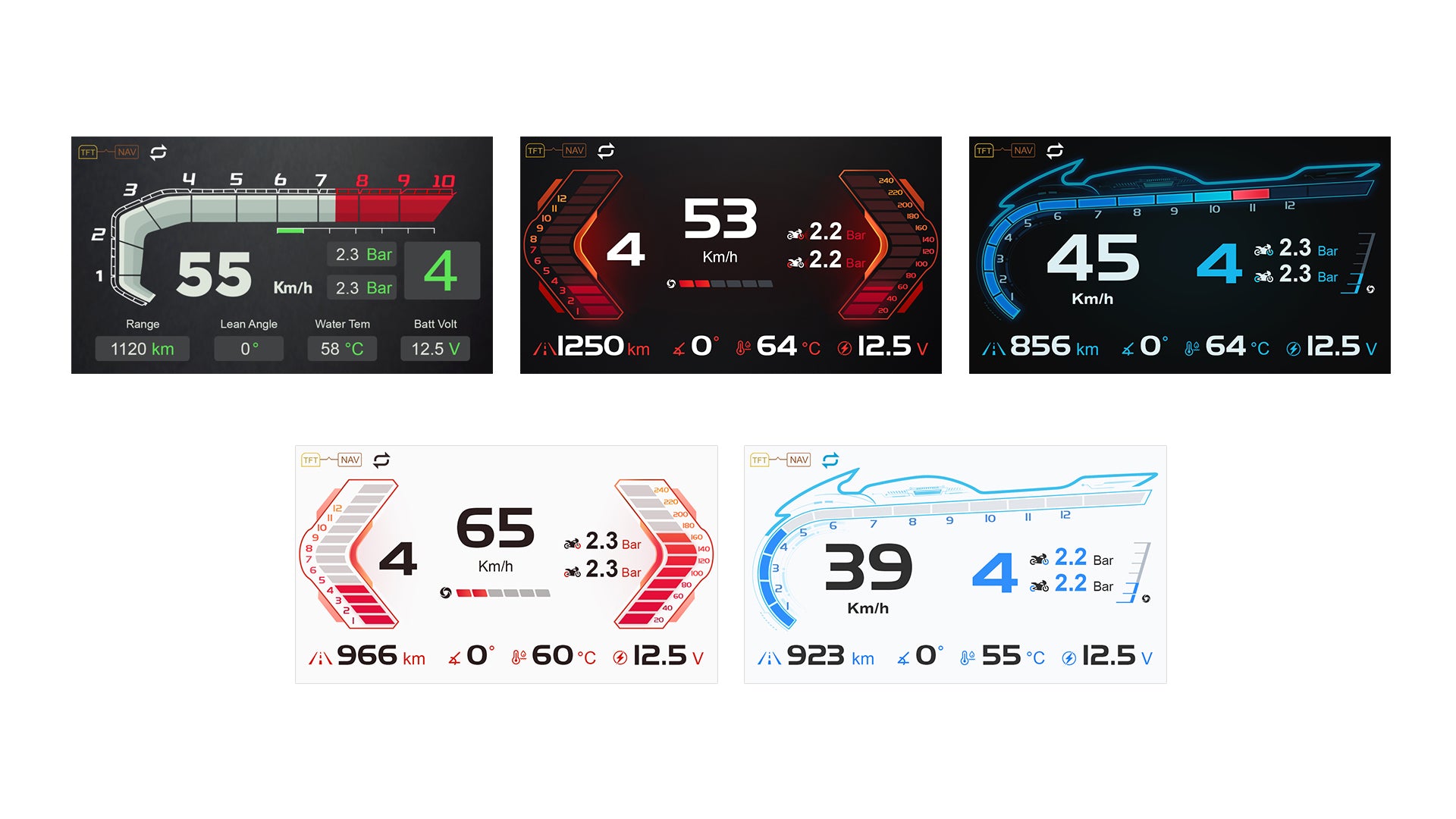
Read before firmware update
Standard Upgrade
1. Copy Files: Copy the following four files from the firmware package to the root directory of the Micro SD Card ( TF ) card:
2. SigmastarUpgradeSD.bin, IPL, IPL_CUST, and UBOOT.
3. Prepare Host: Ensure the host device is powered off.
4. Initiate Upgrade: Insert the Micro SD Card ( TF ) card into the host and power it on. The system will automatically start the upgrade process.
5. Power Warning: Do not power off the device during the upgrade.
6. Completion: Once the upgrade is complete, the device will reboot automatically. A prompt indicating "Date/Time Calibration" or similar messages confirms a successful upgrade.
7. Final Step: Power off the host and remove the Micro SD Card ( TF ) card.
Note
TF Card Requirement: Use a memory card with less than 32GB capacity.
Format: Format the card to FAT32 file system on your computer.
Power Supply: Do not power off the device during the upgrade process.automatically.

FAQs
Why can’t my Wonder Wheel control the display?
Please check whether your device firmware is updated to the latest version.
Then send your firmware version information to the INNOVV support team at cs@innovv.com or info@innovv.com. Our support team will contact you and assist you further.
Why can’t I see the tire pressure data?
The N2 BMW reads the original factory TPMS data from your BMW motorcycle.
If your motorcycle is equipped with the OEM tire pressure monitoring system, the tire pressure data will appear after you start riding for a short time.
Why doesn’t the screen brightness adjust automatically?
The N2 BMW is equipped with a brightness sensor. If the screen brightness does not adjust automatically, please go to Settings and enable the Auto Brightness option to resolve the issue.